How it works
Connect & sync
Link your Nimble CRM account to Squirrels.ai via API to pull customer lists with due and overdue invoices.
Review & assign
Review pulled records in the Squirrels.ai dashboard and assign them directly to your AI AR Collections Specialist.
Automated follow-ups
The AI Agent initiates personalized multi-channel outreach (Email, SMS, and Phone) to follow up on pending payments.
Track outcomes
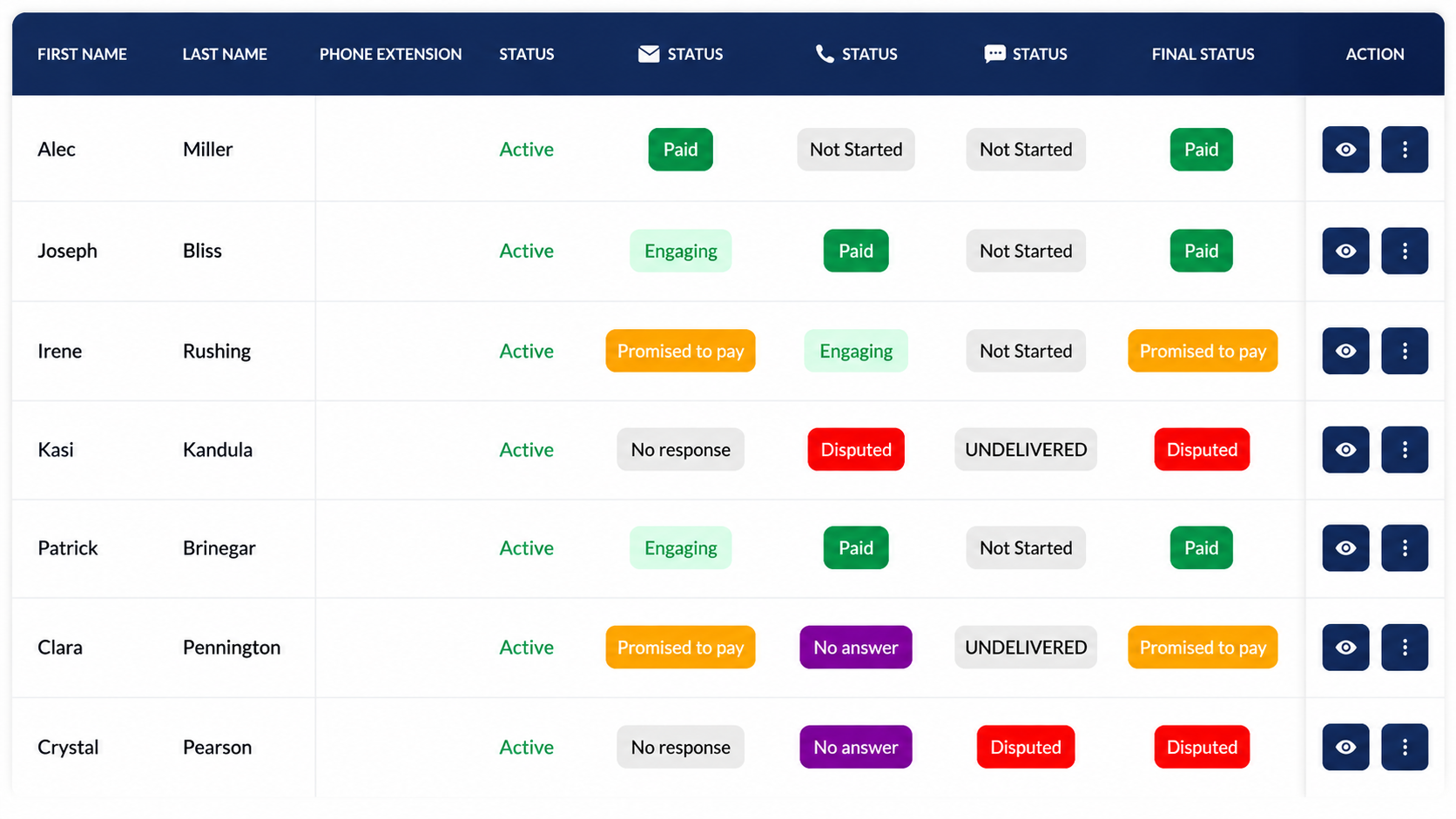
Contact responses are automatically analyzed and categorized into Paid, Promised to Pay, Unpaid, or Disputed, providing real-time visibility in your mission analytics.
Before you start
Before setting up the integration, ensure you have the following prerequisites in place:
Create a dedicated user & assign privileges in Nimble
To ensure secure access between Nimble and Squirrels.ai, create a dedicated integration user within your Nimble account.
- Log in to Nimble as an Administrator
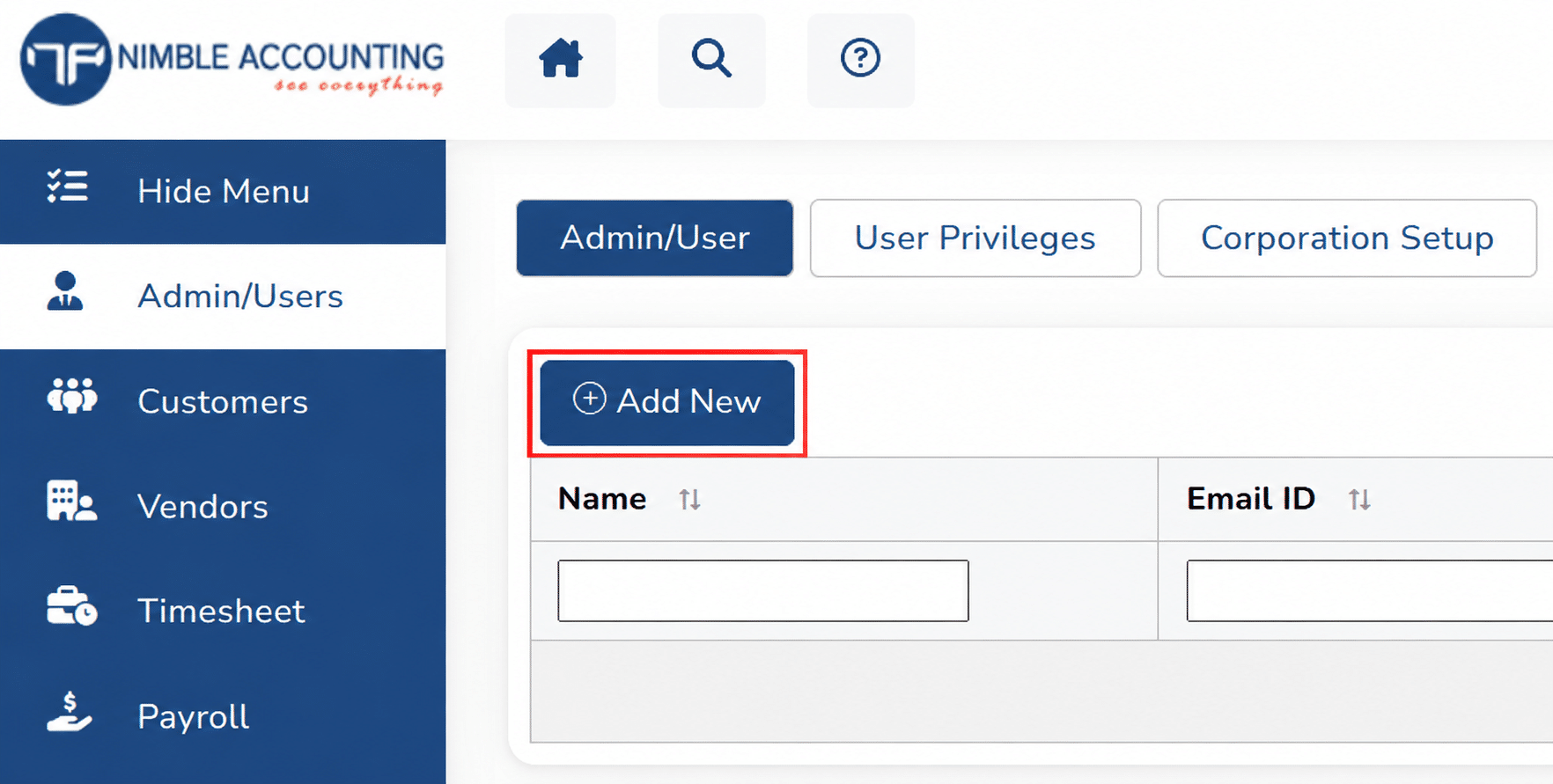
- Navigate to Admin/Users and click ‘Add new user’. This user is required to sync the invoice data into Squirrels.ai.
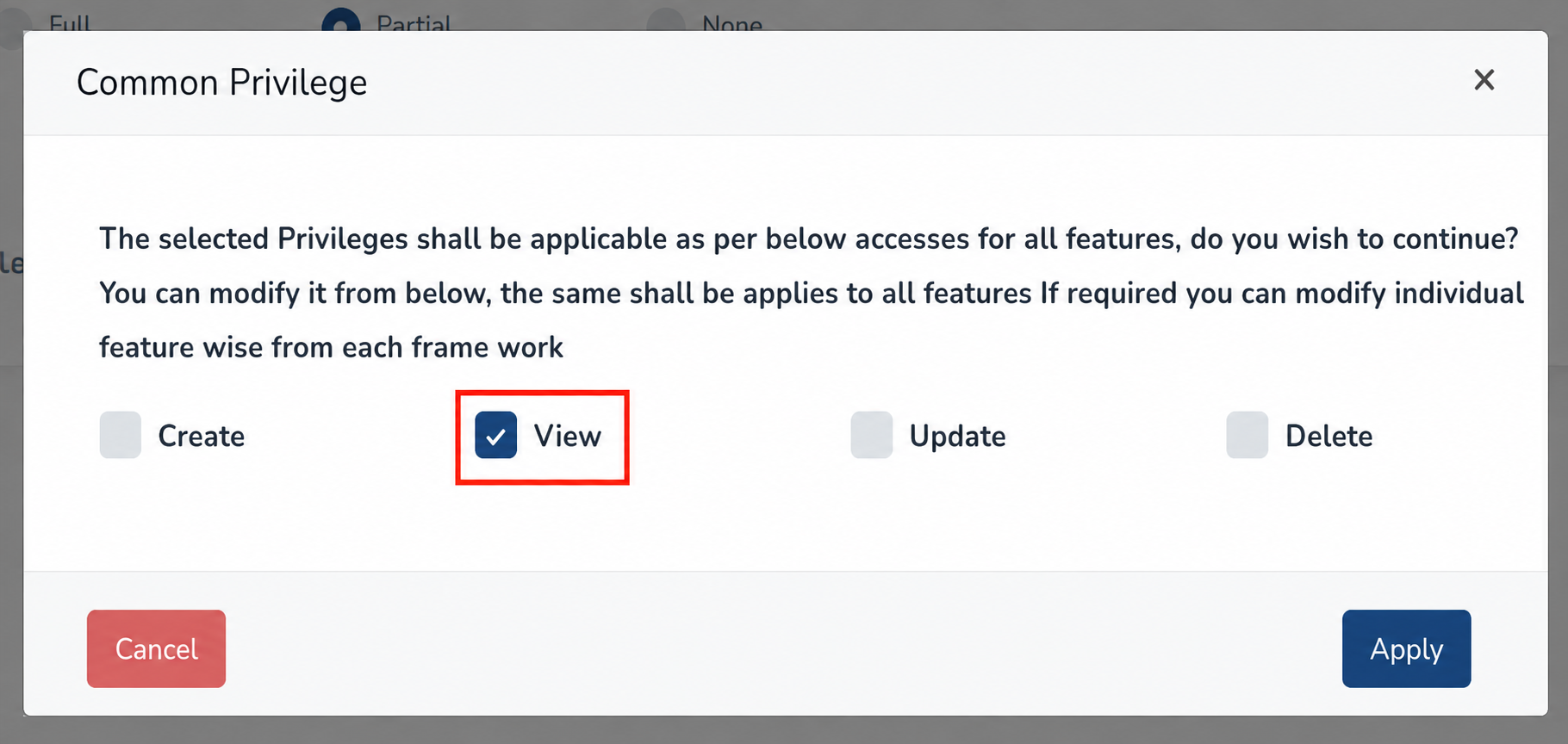
- Grant View Access so the integration can retrieve the due and overdue invoice contacts
- Ensure API access privileges are enabled for the user profile
Connect Nimble to Squirrels.ai and pull contacts
- Log in to your Squirrels.ai dashboard and open your target mission (e.g., AI AR Collections mission).
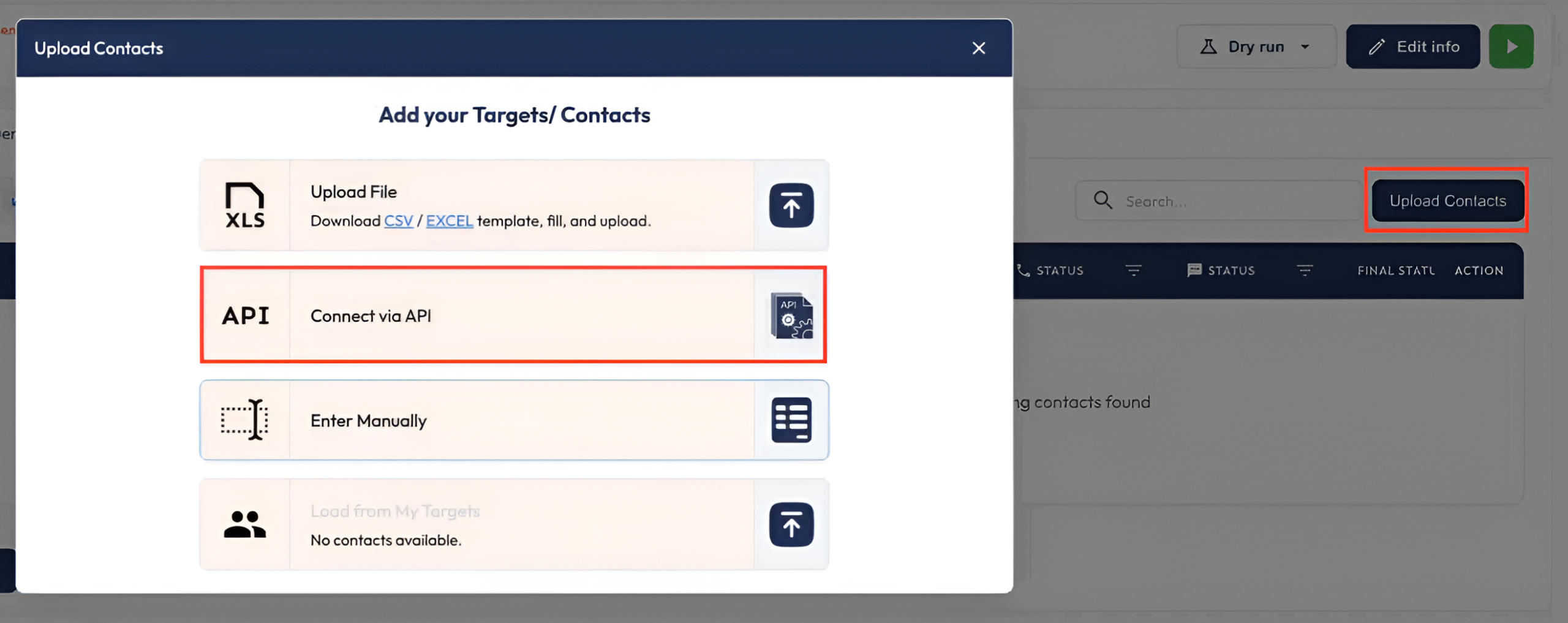
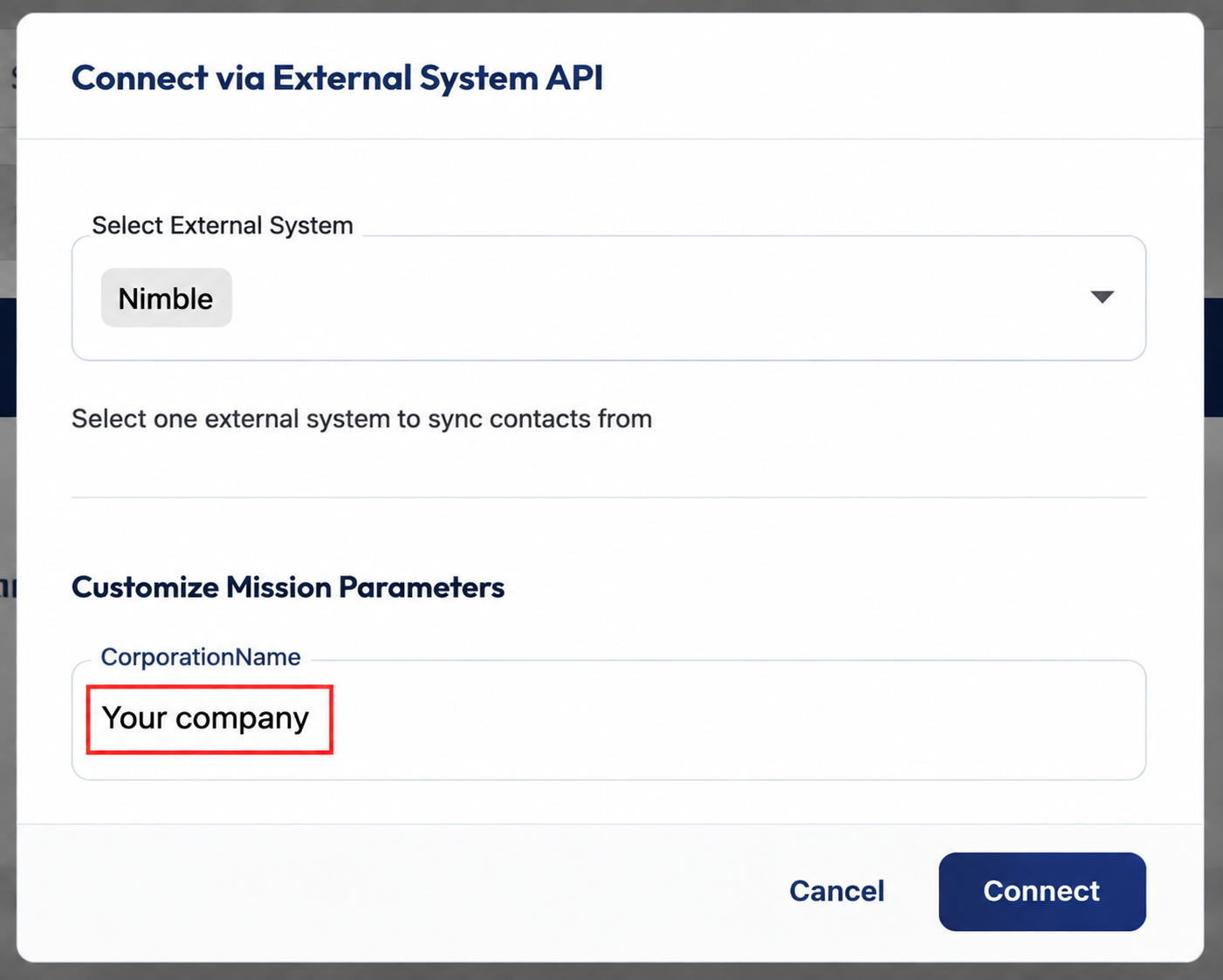
- Go to Upload Contacts and select Connect via API.
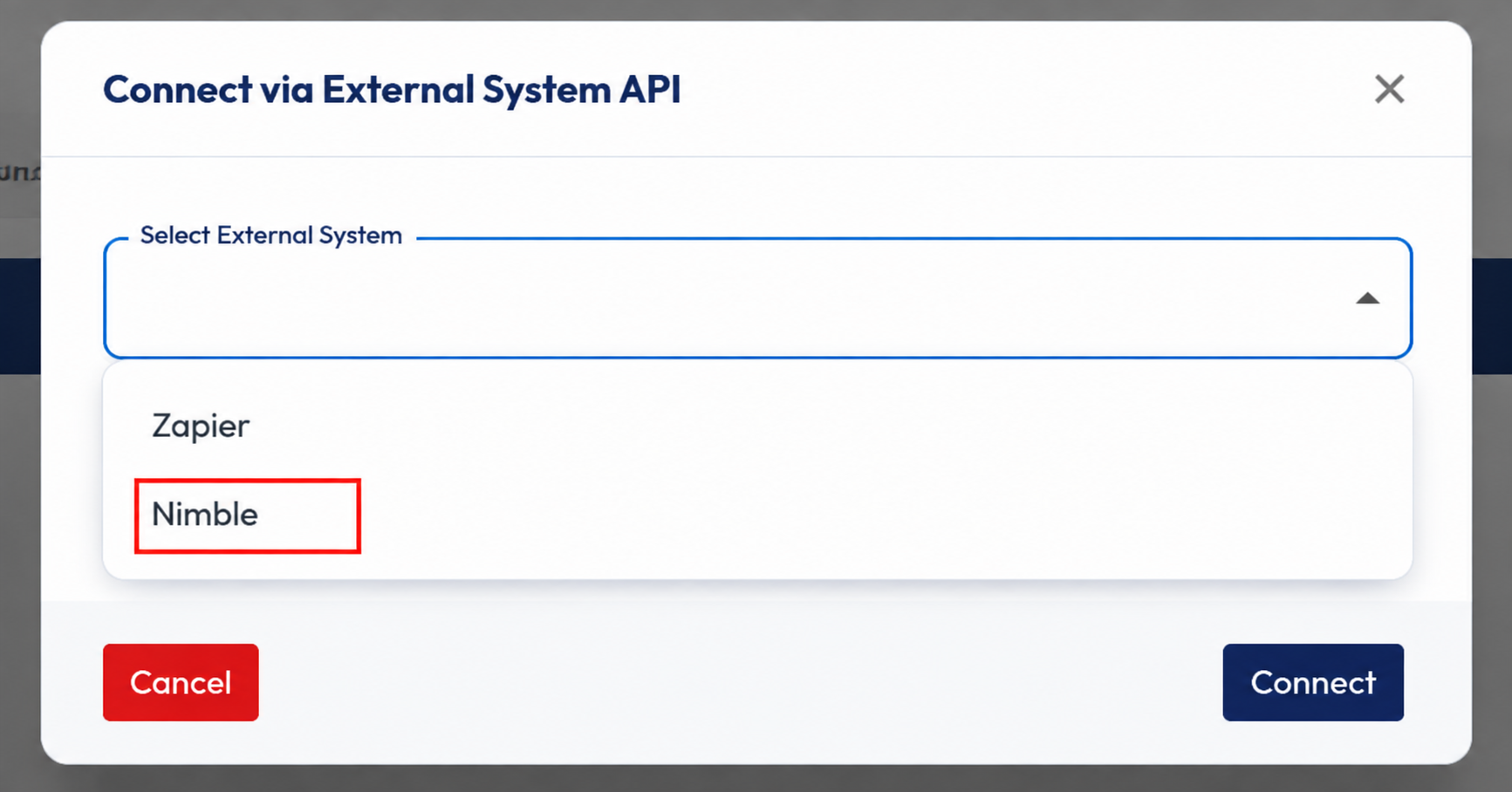
- Choose Nimble from the integration dropdown menu, select your Corporation, and click Connect.
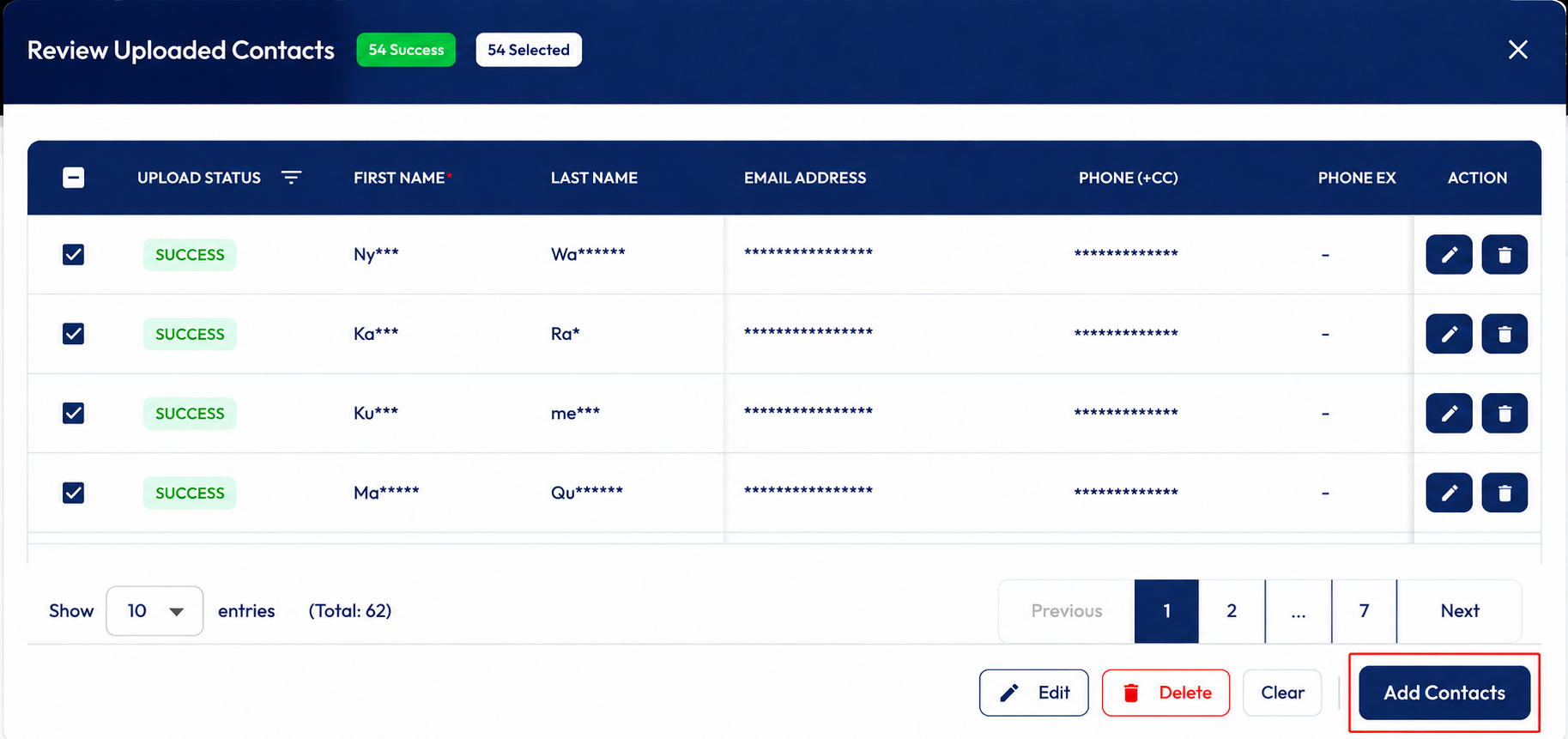
- Once connected, Squirrels.ai will automatically pull accounts with due or overdue invoices. Pulled records land in the Review Uploaded Contacts tab. Confirm the list and click Add Contacts to hand them over to your AI Agent.
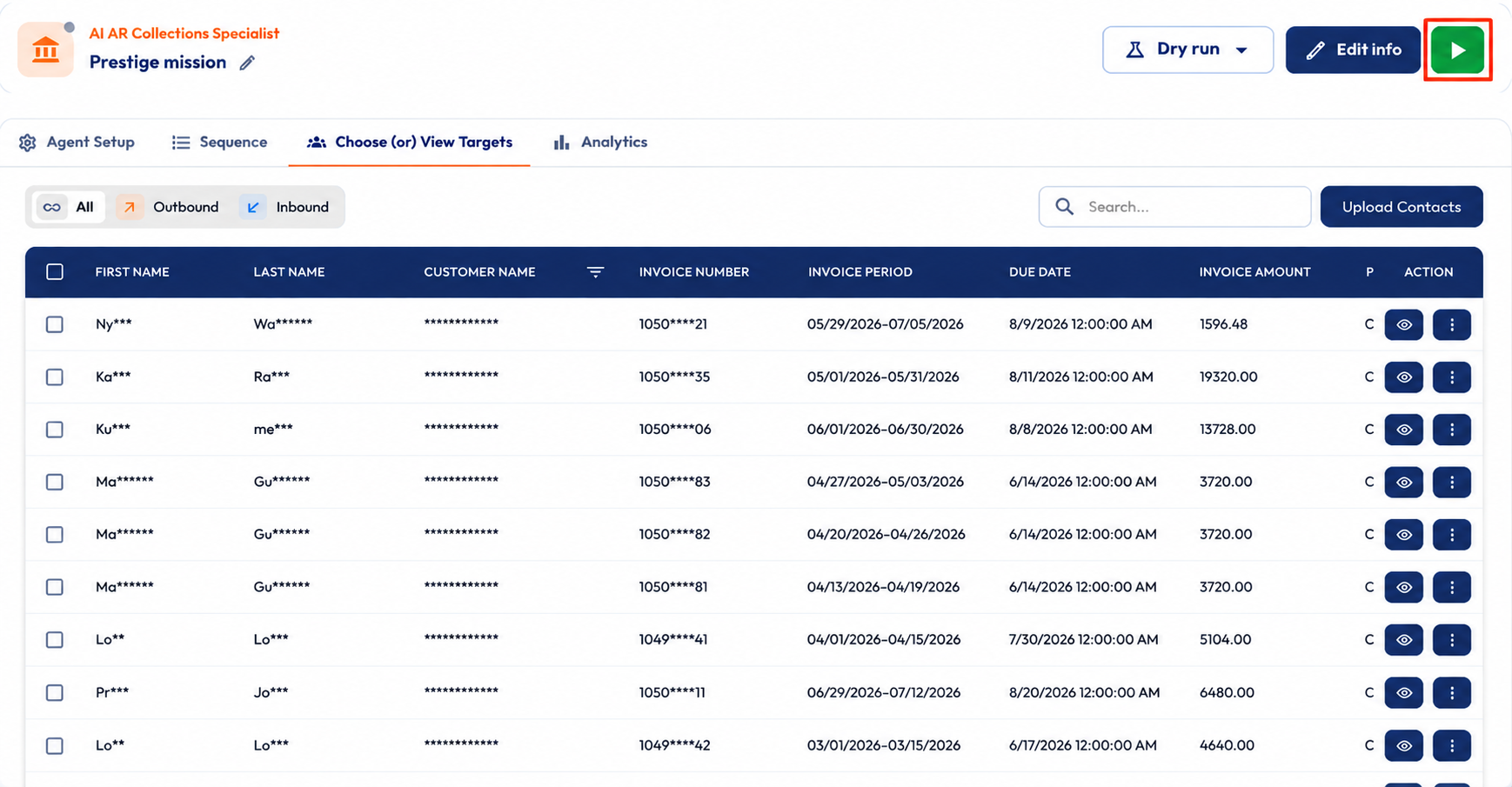
- Click the Green arrow to launch the mission. The AI Agent will begin following up on overdue invoices.
- As your agent works through email, SMS, WhatsApp, and calls, each outcome shows in the mission’s Analytics tab, whether it is Paid, Unpaid, Promised to Pay, or Disputed
Troubleshooting checklist
Contacts failing to sync? Work through the three checks below in order.
Connect Nimble CRM with Squirrels.ai and let your AI AR Collections Specialist seamlessly sync overdue invoices, follow up on pending payments, and accelerate your cash flow.